JetPallet Try it free

For distribution centres, fulfilment and warehousing

Will the pallet meet the receiver’s rules – before it’s wrapped?

Whether a pallet is accepted is decided in the warehouse: height, weight, labels facing out, clean layers. JetPallet works out the stacking pattern before the first carton goes down, gives the packing station a packing instruction with layer diagrams and produces pallet labels with SSCC. Once the pallet is built, you compare plan and reality.

What you end up with

  • Packing instruction as PDF with layer diagrams
  • PDF packing report with company logo and order number
  • Pallet labels in A6 or A5 with SSCC and GS1-128
  • Carton positions as CSV or JSON
  • Planned-versus-actual record as JSON or CSV with photo checksums
  • WMS CSV, DESADV CSV or EDIFACT DESADV D.96A
  • Build-up video of the pallet as a MOV file

What goes wrong when nobody calculates first

Every receiver has its own rules: maximum overall height including the pallet, maximum weight, labels facing outwards, no overhang. At the packing station, cartons are stacked by eye. Only at goods-in does someone notice that the pallet is a few centimetres too tall, or that half the carton labels face inwards.

Mixed orders make it harder still: which items go into which shipping carton, which cartons onto which pallet, and which pallet belongs to which drop? If you piece that together in a spreadsheet every day, there’s no time left for the exceptions.

112212
Multi-stop: load units per consignee, marked by stop. Illustration, calculated with this page’s web calculator.

Workflow

How you work with JetPallet.

  1. 1

    Enter the rules as limits

    Overall height, payload, overhang or underhang per side and the label position on the carton are fixed inputs. Combinations you use again and again can be saved as a project template, for example one per receiver.

  2. 2

    Calculate and check the pattern

    JetPallet works through the pattern families, checks every layer geometrically and shows cartons per layer, layer count, height, gross weight and centre of load. Cartons whose label faces inwards are marked in the layer diagram.

  3. 3

    Cartonise mixed orders

    Item lists come in as CSV or XLSX, with column mapping and templates for SAP deliveries and generic WMS lists. JetPallet packs the items into your shipping cartons and the cartons onto pallets. Items for different drops never share a shipping carton.

  4. 4

    Guide the packing station and print labels

    The packing instruction shows layer by layer how to stack. Pallet labels in A6 or A5 carry the SSCC, gross weight and a GS1-128 barcode.

  5. 5

    Compare planned and actual

    After packing, enter the counted cartons, measured height and weight, optionally with up to 6 photos. JetPallet shows the deviation from the plan against your tolerances and keeps the record in the project.

In detail

In detail

01

Labels facing out, layer by layer

Choose whether the label sits on the long side or the end of the carton. JetPallet counts how many labels per layer face the outer edge and marks the rest. Before anything is packed, you can see whether another pattern or a rotated alternate layer reads better.
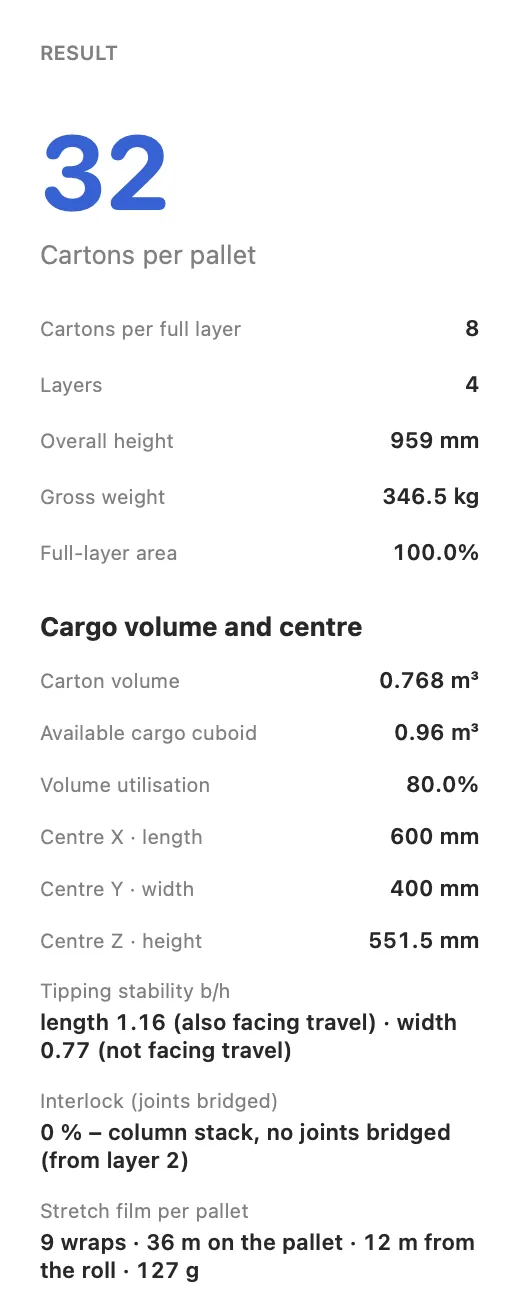
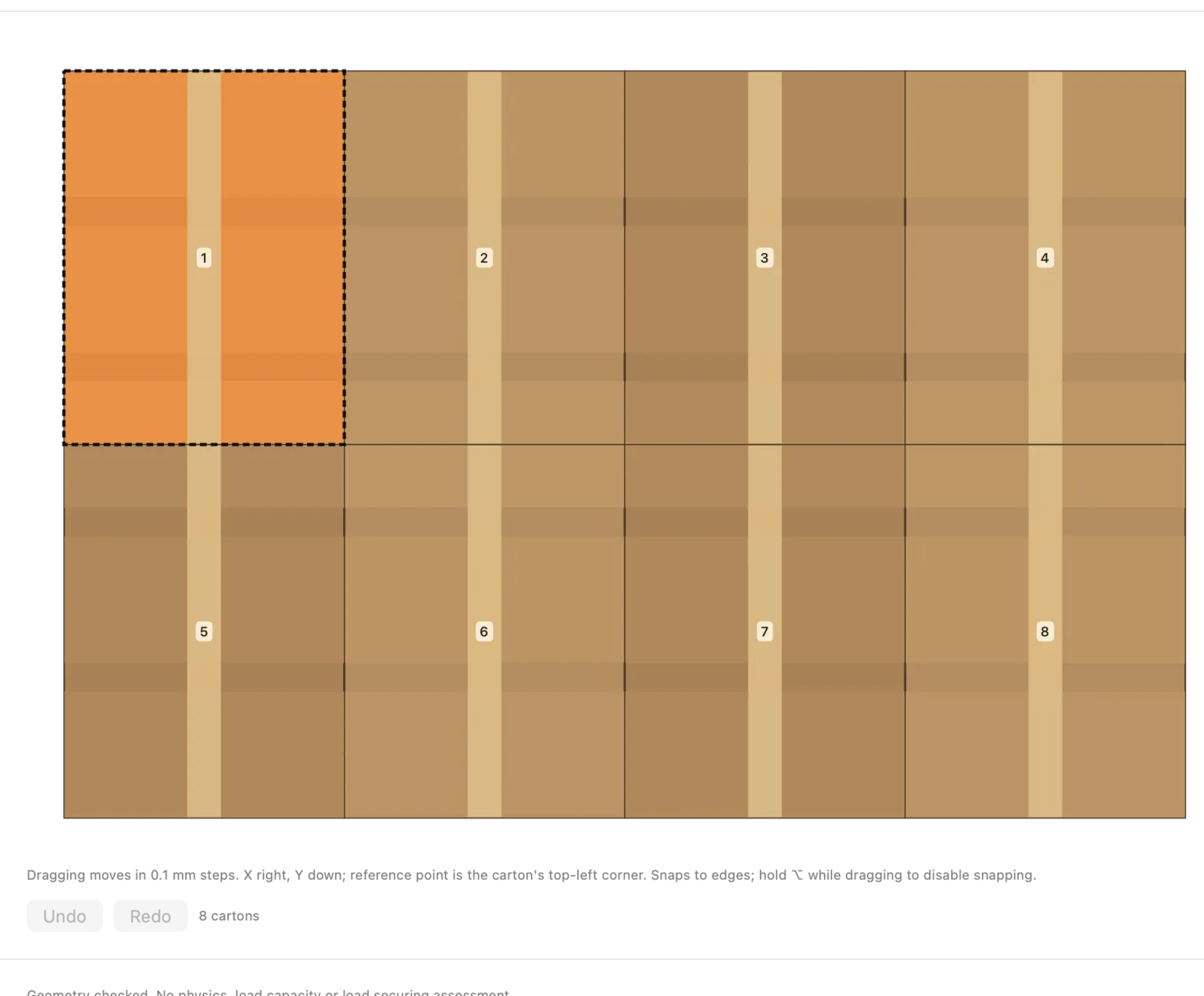
Labels facing out, layer by layer
Actual JetPallet interface.

02

Adjust layers by hand

When a packing station needs a particular arrangement, move and rotate cartons in the layer editor. Every change is checked straight away for overlaps and the pallet edge.

Adjust layers by hand
Actual JetPallet interface.

03

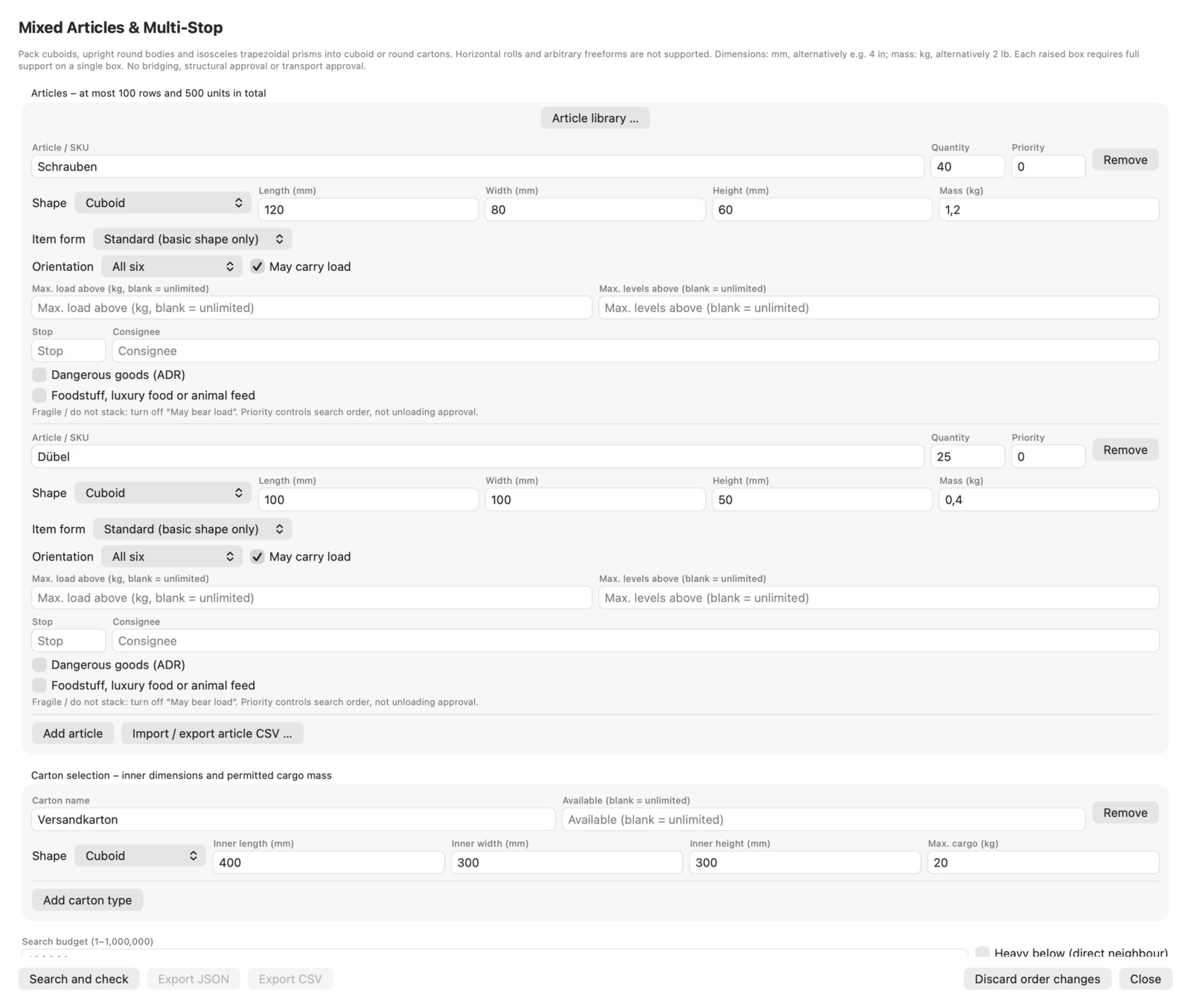
Mixed orders through to the pallet

Cartonisation respects quantities, stacking rules, orientation limits and a delivery stop per item. Unpacked items and unpalletised cartons are listed separately. Items in the article library can also be found by a barcode in a photo; recognition runs directly on your Mac, with no upload. Dangerous goods raise ADR warnings – as notices only. More under mixed pallets and multi-drop.

Mixed orders through to the pallet
Actual JetPallet interface.

04

Pallet labels with SSCC

The SSCC is built from your GS1 company prefix with a check digit; the serial number only moves on when you tell it to. The GS1-128 barcode holds the SSCC, the contents and count where all trade units are identical, and the gross weight. See pallet labels and SSCC.

05

Links to WMS and ERP

Orders arrive as ERP JSON; results go back as JSON, as a WMS CSV with one row per pallet, or as a despatch advice in EDIFACT DESADV D.96A. Recurring steps can be triggered with Shortcuts.

Questions

Frequently asked questions.

Can JetPallet check our customer’s pallet requirements automatically?

You enter the requirements as limits: overall height, payload, overhang, label side. JetPallet only plans within those limits and can store them as a project template. Rulebooks of individual retailers or marketplaces are not built in.

Do we need our own GS1 company prefix for pallet labels?

Yes. JetPallet builds the SSCC from the GS1 company prefix you enter and calculates the check digit. It never invents a number and never advances the serial on its own.

Does JetPallet run at every packing station?

The app runs on a Mac with macOS 15 or later. Stations without a Mac receive the packing instruction as a PDF or the load plan as an HTML file that opens in any browser.

Calculate the next pallet before it’s packed

Try it free for 14 days, then USD 99 a year – one version with every feature. For several workstations, ask via the contact page.

Try it free

Free for 14 days · then USD 99/year

Try it free14 days freeUSD 99/year